The most useful Android feature nobody uses: shortcuts instead of apps
Long-press an icon, drag the action you actually wanted onto the home screen, and stop opening an app just to reach one button.
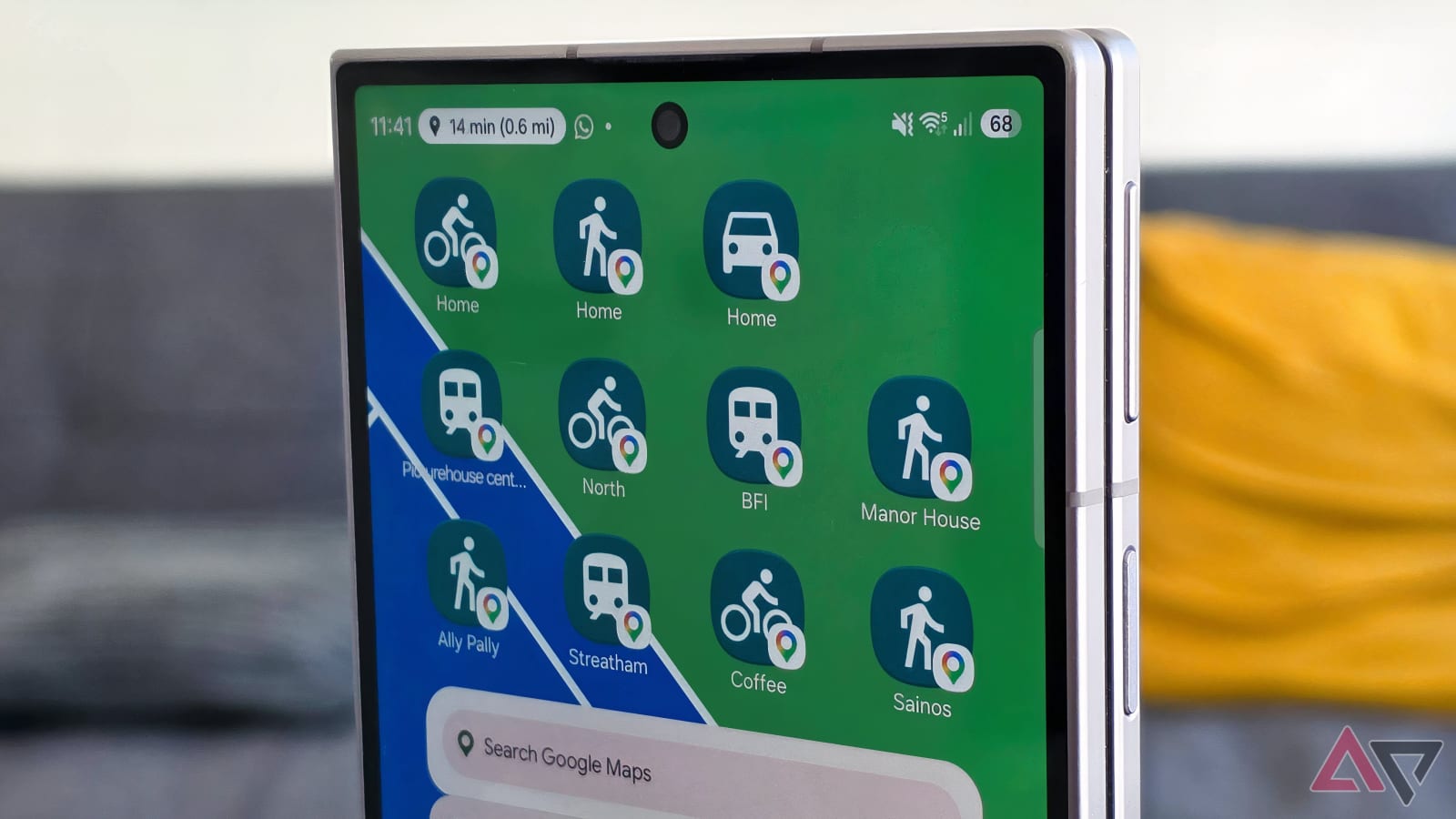
Most of what we call "using an app" is actually navigating it. You open the app, wait for it to load, then walk through menus to reach the one action you wanted — write a note, start navigation, compose an email. The action took two seconds; getting to it took ten.
Android has shipped a fix for this for years and almost nobody uses it: app shortcuts.
How it works
Long-press an app icon. A small menu appears with the three to five things that app considers its most important actions. Long-press one of those entries and drag it onto an empty spot on the home screen, and it becomes its own icon. Tap it later and you land directly in that action, skipping the app's home screen and menu tree entirely.
It is that simple, and it works on stock Android and every mainstream launcher.
What is worth pinning
The right rule is to look at your own habits rather than copy a list. That said, a few actions pay for themselves immediately:
- Contacts — add a new contact, instead of opening the app and finding the plus button.
- Gmail — compose, which is the single most common reason to open a mail app.
- Google Maps — navigate home, which turns a four-step flow into one tap at the end of the day.
- Google Drive — scan a document.
- Google Keep — record an audio note.
- Google Docs — new blank document.
The website version of the same trick
Not everything you need has an app, and installing one just to reach a page is a bad trade. Chrome can pin a site shortcut to the home screen: open the page, use the browser menu, and add it to the home screen. The result opens like an app, minus the install and minus the storage.
For a site like this one, that is a genuinely useful shortcut: pin your most-downloaded game's page and skip the search every time.
Why it never caught on
Shortcuts are invisible. Nothing in the UI tells you the menu exists, so the feature only spreads by word of mouth. Give it one honest try on the three actions you perform most often — the difference between tapping one icon and tapping an icon plus three menu items is small per use and considerable per week.
Source: Android Police — I replaced apps with shortcuts on my Android phone's home screen
More news

Seventy draft games are now live — every listing completed before publishing
Seventy games left the review queue today. All 70 download links were checked, 60 got a verified Play Store identity, and each listing came with its own FAQ and install steps.

Five AI agents you can actually run on Android in 2026 — and who each one suits
Agentic AI has moved past chatbots, but the useful ones differ sharply in how much of your phone they can touch. Here is the honest split.

Huawei moves from blood-pressure watches to a continuous glucose monitor
The Sence G1 is Huawei's first Class III medical device, approved in China on 30 October, with pricing and sensor life still unannounced.